Category: Uncategorized

  • Google Search Console Introduces Platform Properties for Instagram, TikTok, X, and YouTube

    Google Search Console Introduces Platform Properties for Instagram, TikTok, X, and YouTube

    Google is making it easier for content creators, marketers, and publishers to understand how their social media and video content performs on Google Search.

    On July 7, 2026, Google announced Platform Properties, a new Search Console property type designed to show how content from Instagram, TikTok, X, and YouTube is discovered through Google Search and Discover.

    This is an important development for creators and brands that publish content across multiple platforms—especially those that do not have their own website.

    Until now, Search Console has primarily focused on website performance. With Platform Properties, Google is expanding search performance reporting beyond traditional websites.

    What Are Platform Properties in Google Search Console?

    Platform Properties are a new type of property inside Google Search Console.

    They allow creators and account owners to connect supported social or video accounts and analyze how their content performs when discovered through Google Search and Google Discover.

    The four supported platforms announced by Google are:

    • Instagram
    • TikTok
    • X
    • YouTube

    Once a supported account is connected and verified, users can access Google Search performance information related to their posts and content.

    This means creators may now be able to understand which Google searches are leading people to their social content and which individual posts are generating the most search visibility.

    Why Is Google Introducing Platform Properties?

    The way people create and consume content has changed.

    Useful information is no longer published only on websites and blogs. People increasingly share firsthand experiences, tutorials, reviews, opinions, and educational content through social media and video platforms.

    At the same time, Google Search users are discovering more content in different formats.

    Platform Properties appear to address this shift by giving creators and publishers a more consolidated view of how their content is being discovered through Google.

    For creators without a traditional website, this could be particularly valuable.

    Instead of relying only on native social platform analytics, creators can gain additional insights into how Google Search users discover their content.
    search-console-social-video-platforms

    What Can You Track With Platform Properties?

    Google has introduced several reporting features for Platform Properties.

    Performance Report

    The Performance report provides detailed information about how your social or video content performs on Google Search.

    Users can view metrics such as:

    • Total clicks
    • Total impressions
    • Search queries
    • Individual post performance

    The report can also be filtered and sorted to identify which posts and search terms are driving the most traffic.

    Google also allows users to export the performance data for analysis in other tools.

    For SEO professionals and content strategists, the search query data may be one of the most useful features.

    It can help identify the exact topics and searches that are connecting Google users with social content.

    Insights Report

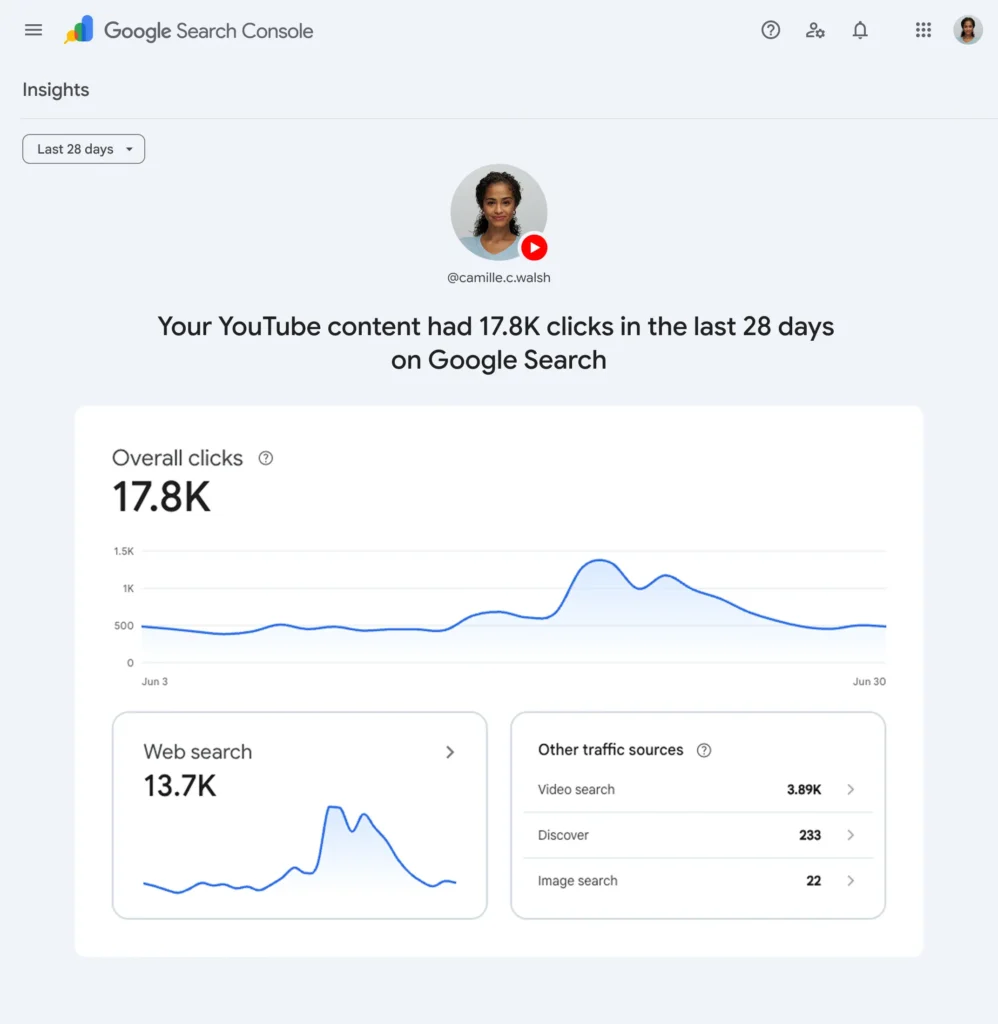
    The Insights report provides a simplified overview of recent performance.

    It can show:

    • Recent traffic trends
    • Top-performing posts
    • How people discover your account through Google

    Instead of analyzing detailed performance tables, creators can use Insights to quickly understand what content is gaining visibility.

    This could be especially useful for creators and small business owners who may not work with advanced SEO reporting tools.

    Achievements

    Google Search Console will also track performance milestones.

    For example, creators may see achievements when their content reaches a new threshold for total Google Search clicks within the last 28 days.

    The feature provides a simple way to track growth and recognize improvements in search visibility.

    How to Add a Social or Video Platform to Google Search Console

    Setting up a Platform Property is relatively straightforward.

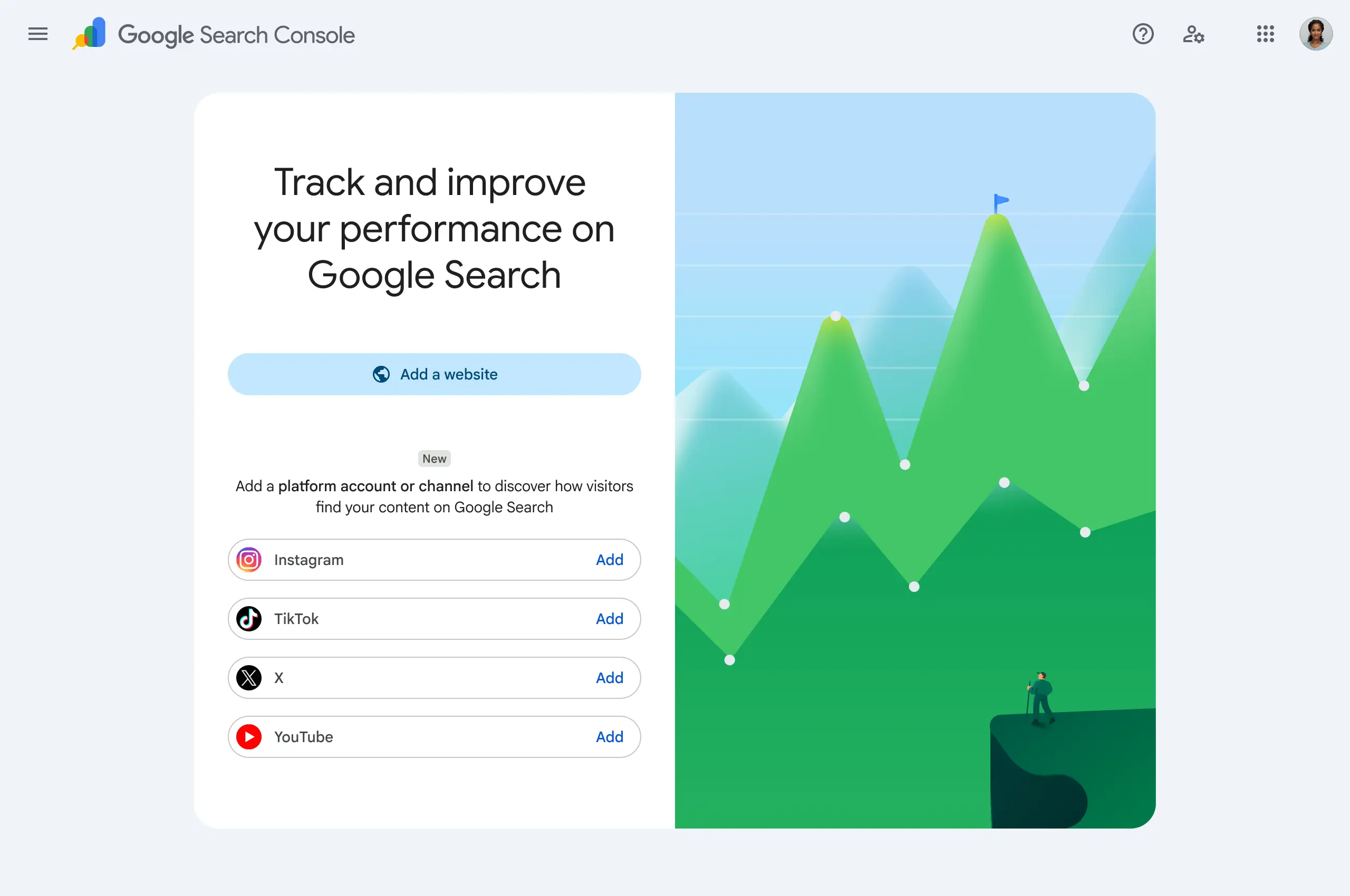
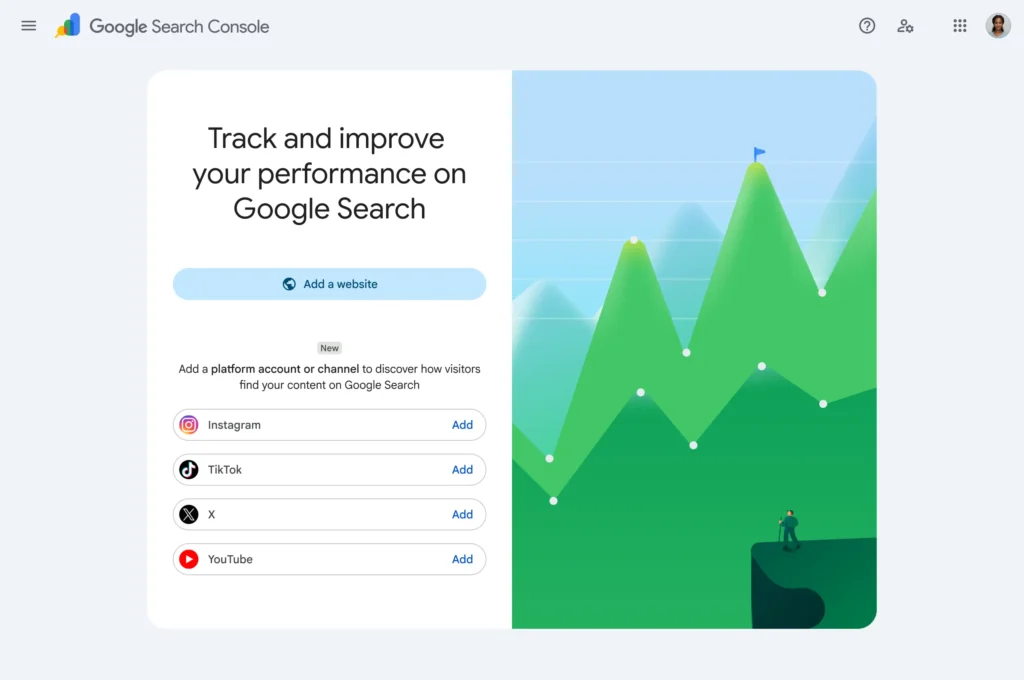
    First, open Google Search Console and visit the property verification page. You can also use the property selector inside Search Console and choose Add property.

    Next, select one of the supported platforms:

    Instagram, TikTok, X, or YouTube.

    After selecting the platform, follow the onscreen verification process to securely authorize the connection.

    Once the property is successfully connected and data becomes available, you can review the Performance, Insights, and Achievements reports.

    Google has said Platform Properties will become available gradually over the coming weeks, so the option may not immediately appear in every Search Console account.
    search-console-platform-property

    What This Means for SEO and Content Marketing

    This update could have a significant impact on how marketers think about SEO.

    For years, SEO strategies have largely focused on websites, landing pages, and blog content.

    But search visibility is becoming increasingly distributed across different platforms and content formats.

    A potential customer might discover a brand through:

    • A website page
    • A YouTube video
    • An Instagram post
    • A TikTok video
    • An X post

    Platform Properties give marketers another way to measure this broader search presence.

    Instead of looking at social media and SEO as completely separate marketing channels, teams may be able to analyze how social content contributes to Google Search visibility.

    Search Query Data Could Change Social Content Strategy

    One of the most interesting aspects of Platform Properties is access to Google Search query data.

    Imagine discovering that a specific Instagram post consistently appears for a particular search topic.

    That information could influence your wider content strategy.

    For example, you could:

    • Create additional posts around the same topic
    • Produce a detailed YouTube video
    • Build a website landing page or blog post
    • Add the topic to your content calendar
    • Strengthen your brand’s topical coverage

    In other words, social search performance data could become another source of keyword and audience research.

    Instead of guessing what topics your audience is interested in, marketers can analyze the actual Google searches that are leading users to their content.

    Platform SEO Is Becoming More Important

    Google’s Platform Properties announcement also highlights a broader shift in search marketing.

    Brands are no longer competing for visibility only through their websites.

    Their videos, social posts, profiles, and other digital assets may also appear throughout the search journey.

    This makes Platform SEO increasingly important.

    Creators and businesses may need to think more carefully about how they optimize:

    • Video titles
    • Social post topics
    • Captions
    • Profile information
    • Content themes
    • Brand entities
    • Cross-platform content consistency

    The goal is not simply to publish more content.

    The goal is to build a connected digital presence that helps both users and search systems understand who you are, what topics you cover, and why your content is relevant.

    How SEO Professionals Can Use Platform Properties

    For SEO specialists and agencies, Platform Properties may create new opportunities for reporting and strategy.

    Search Console data from social and video platforms could potentially be used to identify content gaps, discover high-performing topics, analyze branded searches, and understand how audiences interact with content outside a website.

    It may also help SEO teams build more integrated strategies across search, social media, and video.

    For example, a high-performing YouTube video could reveal a topic worth expanding into a long-form article.

    A successful Instagram post could identify a search trend worth targeting with additional content.

    A TikTok video receiving strong Google impressions could help marketers understand emerging audience interests.

    The data can support better content decisions across multiple channels.

    Final Thoughts

    Google Search Console Platform Properties represent an important expansion of search performance reporting.

    By supporting Instagram, TikTok, X, and YouTube, Google is giving creators and publishers more visibility into how their content is discovered beyond traditional websites.

    For content creators, this means better insight into Google Search visibility.

    For marketers, it provides another source of audience and query data.

    And for SEO professionals, it reinforces an important reality: modern search visibility is no longer limited to ranking website pages.

    Brands need to understand how their entire digital presence appears across search.

    As Platform Properties gradually roll out, SEO and content teams should test the feature, analyze their top-performing posts and queries, and use the data to build more connected content strategies.

    The future of SEO may not be website SEO alone.

    It is increasingly about optimizing your entire digital presence for discovery.
  • Will Voice Search Change the Future of SEO?

    Will Voice Search Change the Future of SEO?

    Every few years, the SEO industry predicts that some new technology will completely upend how search works. Mobile did it. AI is doing it now. And for the past five years, voice search has been labeled the ‘next big shift.’ But here is what most articles will not tell you: voice search is not the future. It is already here — and it is changing SEO in ways that are more subtle and more strategic than the hype suggests.

    The State of Voice Search in 2026: Real Numbers, Not Hype

    Let me start with what the data actually shows. As of 2025, approximately 20.5% of people globally use voice search. That is roughly 1 in 5 internet users. In the United States, 153.5 million people are expected to use voice assistants this year.

    There are now 8.4 billion voice-enabled devices in use worldwide — more devices than people on the planet. Siri alone has 86.5 million users in the U.S. About 27% of mobile users rely on voice search, and 76% of voice searches are local queries with ‘near me’ intent.

    So is voice search mainstream? Not yet — but it is no longer a niche behavior. It is a growing segment of search that skews heavily toward specific use cases: local discovery, quick answers, hands-free convenience, and in-car navigation.

    How Voice Search Is Different From Typed Search — And Why It Matters

    The fundamental difference between voice and text search is not just the input method. It is the intent, the phrasing, and the expectation of an answer.

    Voice Queries Are Longer and More Conversational

    The average voice search query is 29 words long. Compare that to typed searches, which average 3 to 4 words. When I type, I might search for ‘dentist near me.’ When I speak to my phone, I say, ‘Where is the best dentist in my neighborhood that takes my insurance?’

    That is not just a longer query. It is a completely different search intent. Voice users expect a single, direct answer — not a page of links to sift through.

    Voice Search Results Come From the Top 3 Rankings

    Research shows that over 80% of voice search answers are pulled from the top three organic search results. If your page is not already ranking in the top positions, it is not going to be read aloud by a voice assistant.

    Additionally, 40.7% of all voice search answers are pulled directly from a featured snippet. This means that optimizing for position zero is not optional if you want voice visibility — it is essential.

    Voice Search Prioritizes Local Intent Heavily

    Here is where voice search becomes critically important for local businesses: 76% of voice searches have local intent. People are not using voice to research abstract topics. They are using it to find businesses, directions, hours, phone numbers, and services near them right now.

    If you run a dental practice, auto shop, restaurant, or any local service business, voice search is not some distant future concern. It is already shaping how patients and customers find you today.

    What Voice Search Means for SEO Strategy — Practical Changes You Need to Make

    So if voice search is already here and growing, what should local businesses and SEO specialists actually do about it? Let me break it down into actionable steps based on what works in practice.

    1. Optimize for Question-Based, Conversational Keywords

    Stop thinking in short-tail keywords. Voice search users phrase queries as full questions: ‘What is the best emergency dentist open on Sunday?’ or ‘How much does a root canal cost without insurance?’ or ‘Where can I get my brakes checked near me?’

    This means your content needs to include these exact phrasing patterns. Create FAQ sections. Write in natural language. Use question-based headers (H2, H3) that mirror how people actually talk.

    2. Target Featured Snippets Aggressively

    Since 40.7% of voice answers come from featured snippets, earning position zero is one of the highest-ROI SEO tactics you can pursue. Structure your content to answer specific questions in concise, 40-60 word paragraphs that Google can easily extract and display.

    Use lists, tables, and step-by-step formats. These are snippet-friendly structures that Google loves to pull for voice results.

    3. Double Down on Local SEO Fundamentals

    Voice search is overwhelmingly local. If your Google Business Profile is incomplete, inconsistent, or not actively managed, you are losing voice search traffic right now.

    • Complete every GBP section: services, hours, categories, attributes, photos, posts
    • Ensure your NAP (Name, Address, Phone) is identical across your website, GBP, and all directory listings
    • Encourage and respond to Google reviews — review count and quality matter for local pack rankings
    • Use schema markup to help search engines understand your business type, location, and services

    These are not new tactics. But voice search makes them more important because voice assistants pull heavily from Google Business Profiles for local queries.

    4. Improve Page Speed — Voice Results Load 52% Faster

    Research shows that the average voice search result page loads in 4.6 seconds, which is 52% faster than the average webpage. Google prioritizes fast-loading pages for voice results because users expect instant answers.

    Run a Core Web Vitals audit. Compress images. Minimize JavaScript. Use a CDN. These technical optimizations directly impact your chances of being selected for a voice result.

    5. Write Longer, More Comprehensive Content

    Pages that rank in voice search results average 2,312 words. This is not because Google prefers long content — it is because comprehensive content is more likely to answer a user’s full question and earn that featured snippet position.

    That said, length for the sake of length is worthless. The goal is topical depth. Cover the subject thoroughly, anticipate follow-up questions, and provide actionable answers.

    6. Use Structured Data to Signal Relevance

    Schema markup helps search engines understand what your page is about and what kind of information it contains. For local businesses, this means marking up your business type, address, hours, reviews, FAQs, and service offerings.

    Over 70% of pages ranking in voice search use HTTPS and structured data. This is table stakes for voice visibility.

    Industries Where Voice Search Is Already Driving Real Business Impact

    Let me be clear: voice search is not equally important for all industries. Some verticals are seeing significant traffic and conversions from voice, while others see almost none. Here is where it matters most.

    Local Services and Healthcare

    Dental practices, urgent care clinics, veterinary offices, plumbers, electricians, HVAC companies — these are the businesses where voice search is already delivering patients and customers. When someone has an urgent need (‘Where is the nearest emergency dentist?’), they use voice. When they are driving and need a service (‘Find a mechanic near me that is open now’), they use voice.

    If you work in a local service industry, voice optimization is not optional.

    E-Commerce and Retail

    Voice-driven shopping is projected to reach nearly 82 billion dollars by 2025. About 51% of online shoppers in the U.S. use voice assistants to research products. Additionally, 30% use voice to track orders, and 17% use it to repurchase items.

    This does not mean people are completing full transactions via voice yet — but they are using voice at multiple stages of the buying journey. Retailers who optimize product pages for voice queries (‘What is the best blender under 100 dollars?’) are capturing this traffic.

    Automotive

    62% of drivers with in-car voice assistants use them to find nearby businesses or auto services. Google searches for ‘car dealerships near me’ spiked 200% year-over-year recently. In-car voice search is one of the fastest-growing segments because it is genuinely useful while driving.

    Dealerships, repair shops, parts retailers, and service centers should prioritize voice SEO because their customers are literally using it on the way to their business.

    Hospitality and Travel

    Hotels, restaurants, event venues, and tourism businesses benefit significantly from voice search. People ask questions like ‘What restaurants are open near me right now?’ or ‘Where can I stay in downtown Chicago this weekend?’ while they are actively traveling.

    Voice search captures high-intent local discovery moments that traditional SEO often misses.

    What Voice Search Will NOT Do — Setting Realistic Expectations

    Now let me address the hype. Voice search is not going to replace traditional SEO. It is not going to eliminate the need for websites. And it is not going to make keyword research obsolete.

    Here is what the data actually shows: voice queries are expected to account for 55% of all searches by 2027. That means even in the most optimistic projections, nearly half of all searches will still be typed. The desktop web is not going anywhere. Long-form research queries are not going away. B2B decision-makers are not making purchasing decisions via Alexa.

    Voice search is a layer on top of existing search behavior — not a replacement for it. The businesses that will win are those who optimize for both.

    Frequently Asked Questions

    Is voice search going to replace traditional SEO?

    No. Voice search is a behavior within search, not a replacement for it. By 2027, voice is projected to account for 55% of searches — meaning 45% will still be typed. Both matter. The best strategy is optimizing for conversational intent while maintaining strong traditional SEO fundamentals.

    Do I need to create separate content for voice search?

    Not necessarily. The same content can rank for both typed and voice searches if it is structured properly. Use natural language, include question-based headers, write comprehensive answers, and target featured snippets. This approach works for both input methods.

    How do I track voice search traffic?

    Google Analytics does not differentiate between voice and typed searches in standard reports. However, you can track conversational long-tail keywords, featured snippet rankings, and local ‘near me’ queries as proxies for voice search performance. Tools like Semrush and Ahrefs now include voice search keyword tracking.

    What is the biggest mistake businesses make with voice search SEO?

    Treating it as a separate channel instead of an extension of existing SEO. Voice search pulls from the same index as traditional search. If your page is not ranking well organically, it will not rank well for voice. Fix your foundational SEO first, then layer in conversational optimization.

    Should every business invest in voice search optimization?

    No. Voice search matters most for local businesses, e-commerce, healthcare, automotive, and hospitality. If your business is B2B SaaS, professional services, or highly technical, voice may represent a tiny fraction of your traffic. Analyze your search query data before deciding where to invest effort.

    Will voice search hurt my website traffic by giving answers without clicks?

    This is a valid concern. Voice assistants often provide direct answers without sending traffic to websites. However, for local businesses, voice search frequently drives calls, directions requests, and in-person visits — which can be more valuable than website clicks. The metric to track is conversions, not just traffic.

    Final Takeaway: Voice Search Is an Evolution, Not a Revolution

    Voice search is not going to kill SEO. It is going to make good SEO more important — because the businesses that rank well organically are the same ones that will be read aloud by voice assistants.

    The core strategy has not changed: create high-quality content that answers real questions, optimize for local relevance if you serve a local market, earn featured snippets by structuring content clearly, and ensure your technical SEO is solid so pages load fast.

    What has changed is that conversational phrasing, question-based content, and FAQ sections now have a clearer, measurable ROI. They help you rank for voice searches and improve traditional SEO at the same time.

    If you are a local business or dental practice, voice search is already shaping how patients find you. Optimize your Google Business Profile, add a comprehensive FAQ section, and make sure your NAP is consistent everywhere. These simple steps will capture a growing segment of voice-driven local discovery.

  • What Happens If My Google Business Profile Is Suspended?

    What Happens If My Google Business Profile Is Suspended?

    You log in one morning to check your Google Business Profile and something feels off. Your listing isn’t showing up on Google Maps. Customers are calling to say they can’t find you online. Or maybe Google sent you a notification that stopped your heart for a second.

    Your Google Business Profile has been suspended.

    If this has happened to you, take a breath. You’re not alone, and in most cases, it’s fixable. But you do need to understand what’s going on, why it happens, and exactly what steps to take to get your listing back up and running.

    Let’s walk through all of it.


    What Does a Google Business Profile Suspension Actually Mean?

    When Google suspends your Business Profile, it means your listing has been removed from Google Search and Google Maps. Anyone searching for your business by name or searching for services like yours in your area will not find your listing.

    Your profile still exists in the background, but it’s essentially invisible to the public until the suspension is resolved.

    There are two types of suspensions you might run into, and understanding the difference matters.

    Soft suspension means your listing is unverified and no longer showing publicly, but you can still access and manage it from your Google Business Profile dashboard. This is the less serious of the two and is often triggered by something like a guideline violation that Google flagged during a review.

    Hard suspension means your entire account has been suspended. The listing is gone from public view and you may have limited or no access to manage it. This is more serious and typically requires a formal reinstatement request to resolve.


    Why Do Google Business Profiles Get Suspended?

    Google doesn’t suspend listings randomly. There’s always a reason, even if it’s not immediately obvious to you. Here are the most common causes.

    Keyword Stuffing in Your Business Name

    This is one of the most frequent reasons for suspension. If your actual registered business name is “Johnson Plumbing” but your Google Business Profile says “Johnson Plumbing Best Plumber Dallas TX Emergency Service,” that’s a problem.

    Google’s guidelines are very clear: your business name on your profile should match your real-world business name. Adding keywords, locations, or extra descriptors that aren’t part of your actual name violates the rules. Google catches this more than people expect.

    Using a Virtual Office or Fake Address

    Google requires that your listed address be a place where you actually conduct business and where customers can genuinely reach you during stated hours. Using a virtual office, a PO box, a UPS Store address, or someone else’s address to game your local ranking is against the guidelines.

    If you don’t have a physical storefront and serve customers at their location, you should be set up as a service area business rather than listing a fake address.

    Multiple Listings for the Same Business

    Having more than one Google Business Profile for the same location is a violation. It doesn’t matter if the duplicates were created by accident. Google sees multiple listings for the same address or phone number as a manipulation attempt and will often suspend one or both.

    Sudden or Suspicious Changes to Your Profile

    Making a lot of changes to your profile in a short period of time can trigger a suspension. This includes things like changing your business name, address, phone number, and category all at once. Google’s system flags rapid changes as potentially suspicious, especially if the profile hasn’t been established for long.

    Operating in a Flagged Industry

    Certain industries are considered higher risk by Google and face closer scrutiny. Locksmiths, plumbers, lawyers, financial services, rehab centers, and other service categories have historically dealt with higher suspension rates because of widespread spam and manipulation in those niches. If you’re in one of these industries, your profile may get flagged even if you’ve done everything correctly.

    A Competitor Reported Your Listing

    Yes, this happens. Competitors can suggest edits to your listing or report it as fraudulent through Google’s reporting tools. If enough people flag your listing, or if a flag comes with information that triggers Google’s review process, your profile can be suspended while Google investigates.

    Violating Google’s Representation Guidelines

    This covers a range of issues including misrepresenting your business category, listing hours that don’t match your actual hours, or having a profile for a business that doesn’t genuinely exist or operate.


    What Happens to Your Business While You’re Suspended?

    The short answer is that your visibility takes a serious hit.

    Your listing disappears from Google Maps. You stop showing up in the local pack, which is that map section that appears at the top of local search results. Customers searching for your business name may not find your profile at all, or they may find an old, unmanaged version of your listing if one exists.

    Phone calls from Google drop off. Direction requests stop. Reviews become harder for new customers to find. If your business depends heavily on local search traffic, a suspension can feel like someone just turned off the lights.

    The longer a suspension goes unresolved, the more damage it can do to your local visibility and customer trust.


    What Should You Do If Your Profile Gets Suspended?

    Don’t panic, but don’t wait either. Here’s a step by step approach to getting your listing reinstated.

    Step 1: Figure Out Why You Were Suspended

    Before you do anything else, think honestly about whether your profile might be violating any of Google’s guidelines. Review your business name, address, category, photos, and any recent changes you made.

    Log into your Google Business Profile dashboard and look for any notifications or flags. Sometimes Google will give you a general reason for the suspension, though not always.

    Check Google’s Business Profile guidelines carefully. Read through the sections on eligibility, representation, and prohibited content. If something in your profile doesn’t line up with the guidelines, that’s likely your culprit.

    Step 2: Fix the Violations Before You Appeal

    This is important. If you know or strongly suspect what caused the suspension, fix it before you submit a reinstatement request. Submitting an appeal without fixing the underlying problem almost always results in a denial.

    If your business name had extra keywords in it, remove them. If your address was a virtual office, update it to your real location or switch to a service area business setup. If you had duplicate listings, request removal of the duplicates first.

    Step 3: Submit a Reinstatement Request

    Once you’ve cleaned up your profile and addressed any violations, it’s time to submit a reinstatement request through Google’s official Business Profile support.

    You can find the reinstatement form through the Google Business Profile Help Center. When you fill it out, be clear and professional. Explain what your business does, confirm that your profile complies with Google’s guidelines, and briefly describe any changes you made to bring it into compliance.

    Be honest. Don’t try to oversell or get defensive. Google’s team reviews these requests manually, and a straightforward, factual explanation tends to work better than a long emotional appeal.

    Step 4: Be Patient and Follow Up

    Reinstatement reviews can take anywhere from a few days to a few weeks. It depends on the volume of requests Google is handling and the complexity of your situation.

    If you haven’t heard back after two weeks, it’s reasonable to follow up through Google’s support channels. You can also try reaching out via Google’s Business Profile support on Twitter or through the Google Business Profile community forum, where Google Product Experts sometimes help escalate cases.

    Step 5: If You’re Denied, Appeal Again

    If your reinstatement request is denied, you’re not necessarily out of options. Review the denial, look again at your profile for anything that might still be out of compliance, make additional corrections, and submit a new request.

    Some business owners have had to go through this process two or three times before getting reinstated, especially in high-scrutiny industries. Persistence matters here.


    How to Avoid Getting Suspended in the First Place

    Once you’ve been through a suspension, the last thing you want is to go through it again. Here’s how to keep your profile in good standing.

    Use your real business name. No extra keywords, no locations tacked on, no descriptors that aren’t part of your actual registered name.

    Make sure your address is accurate and legitimate. If you work from home and don’t serve customers at your address, hide the address and use a service area instead.

    Keep your information consistent. Your name, address, and phone number on your Google Business Profile should match what’s on your website and other online listings.

    Don’t make a bunch of changes all at once. If you need to update multiple things, space the changes out over a few days rather than doing everything in one session.

    Monitor your listing regularly. Check for suggested edits that others may have submitted and review them before they go live. Keep an eye on your Q&A section and your reviews.

    Respond to reviews consistently. An active, engaged profile looks more legitimate to Google and to potential customers.


    The Bottom Line

    A suspended Google Business Profile is stressful, especially when your business relies on local search visibility to bring in customers. But it’s not the end of the world, and in most cases it can be fixed.

    The key is staying calm, identifying the real reason for the suspension, cleaning up any violations honestly, and submitting a clear, factual reinstatement request through Google’s official channels.

    And going forward, treating your Google Business Profile like the valuable business asset it is, keeping it accurate, active, and fully compliant, is the best way to make sure you never have to go through this process again.


    If your Google Business Profile has been suspended and you’re not sure where to start, a local SEO professional can help you identify the issue and put together a reinstatement strategy that actually works.

  • What Is the 80/20 Rule in SEO? (And How It Can Change the Way You Work)

    What Is the 80/20 Rule in SEO? (And How It Can Change the Way You Work)

    If you’ve spent any time in the business or productivity world, you’ve probably heard of the 80/20 rule. It shows up everywhere. Sales, management, personal finance, time management… and yes, SEO too.

    But what does it actually mean in the context of search engine optimization? And more importantly, how can understanding it help you get better results without burning yourself out trying to do everything at once?

    Let’s break it down in plain English.


    First, What Is the 80/20 Rule?

    The 80/20 rule, also called the Pareto Principle, comes from an Italian economist named Vilfredo Pareto. Back in 1896, he noticed that roughly 80% of the land in Italy was owned by about 20% of the population. He started looking at other areas of life and kept finding the same uneven pattern showing up again and again.

    The core idea is simple: 80% of your results come from just 20% of your efforts.

    It’s not a hard mathematical law. Sometimes it’s 70/30. Sometimes it’s closer to 90/10. But the principle holds across a surprising number of situations. A small number of inputs tend to drive the majority of outcomes.

    When you apply that thinking to SEO, it becomes a genuinely useful framework for deciding where to spend your time and energy.


    So What Does the 80/20 Rule Mean in SEO?

    In SEO, the 80/20 rule basically says this: a small portion of your SEO activities are responsible for the majority of your traffic, rankings, and results.

    Most of what you could technically do for SEO, a lot of it doesn’t move the needle much. But a handful of things, when done consistently and done well, drive the lion’s share of your organic growth.

    The challenge is figuring out which 20% that is for your specific website, your specific industry, and your specific goals.

    Here’s where most people go wrong. They get caught up in the long list of SEO tasks and start treating everything as equally important. They spend hours obsessing over things like keyword density percentages, tweaking meta descriptions on pages that get zero traffic, and chasing every new SEO trend that pops up on Twitter. Meanwhile, the stuff that actually matters, like creating genuinely helpful content and earning quality backlinks, gets pushed to the back burner.

    That’s the 80/20 rule working against you instead of for you.


    The 20% of SEO That Drives 80% of Results

    Every website is a little different, but across most industries and niches, a few core SEO activities consistently deliver outsized results. These are the things worth pouring your energy into.

    1. Targeting the Right Keywords

    Not all keywords are worth your time. Some have high search volume but attract people who will never buy from you. Others are hyper-specific, lower volume, and filled with searchers who are ready to act right now.

    The 20% here is doing proper keyword research upfront and focusing on terms that match your actual business goals. One well-chosen keyword that brings in qualified, conversion-ready traffic is worth more than ten broad keywords that bring in tire-kickers.

    Look for keywords that reflect clear intent. Someone searching “best HVAC company in Dallas” is a lot closer to picking up the phone than someone searching “how does air conditioning work.” Both are valid searches, but only one is worth centering a service page around.

    2. Creating Content That Actually Answers the Question

    Google’s whole job is to match searchers with the most helpful, relevant answer to their question. When your content genuinely does that better than anyone else, you win.

    The 20% here is creating fewer pieces of content but making each one really, truly excellent. A lot of websites publish thin, surface-level blog posts that add nothing new to the conversation. They rank briefly, if at all, and then fade.

    But a well-researched, comprehensive piece of content that covers a topic thoroughly, answers real follow-up questions, and provides genuine value? That’s the kind of page that earns rankings, earns links, and earns trust over time.

    Quality beats quantity every single time. Ten exceptional pieces of content will almost always outperform fifty mediocre ones.

    3. Getting Links From Relevant, Trustworthy Sites

    Backlinks are still one of the strongest ranking signals Google uses. A link from a credible, relevant website is essentially a vote of confidence in your content.

    The 20% here is earning a smaller number of genuinely good links rather than accumulating hundreds of low-quality ones. One backlink from a respected industry publication or a well-known local news site carries more weight than fifty links from random directories nobody visits.

    This is where a lot of people waste effort. They spend time chasing bulk link schemes or submitting to every free directory they can find, when they’d be better off creating one great piece of content that earns a handful of real, meaningful links.

    4. Fixing the Technical Issues That Actually Matter

    Yes, technical SEO matters. But not all technical issues are created equal.

    There’s a long list of things you could technically optimize on your site. Most of them have a tiny impact. A few of them, if ignored, can seriously hold your site back.

    The 20% here is making sure your site loads fast, works well on mobile, can be properly crawled and indexed by Google, and doesn’t have major issues like broken pages, duplicate content, or a confusing site structure.

    Get those fundamentals right and you’ll be ahead of a surprisingly large number of competitors. After that, you can dig into more advanced technical work if the situation calls for it.

    5. Keeping Your Best Pages Updated

    Most websites have a small number of pages driving the majority of their organic traffic. That’s the 80/20 rule at work right there.

    Instead of constantly creating brand new content, one of the smartest things you can do is identify your top-performing pages and make sure they stay current, accurate, and as helpful as possible. Update outdated stats. Add new sections. Improve the formatting. Make sure the information still reflects how things work today.

    Refreshing a strong page takes less time than building a new one from scratch, and it protects the organic traffic you’ve already worked hard to earn.


    The 80% You Can Stop Worrying So Much About

    Look, nobody’s saying these things are completely worthless. But these are the tasks that often eat up a lot of SEO time without delivering proportional results.

    Obsessing over keyword density. Google is smarter than counting how many times a word appears on a page. Write naturally and cover the topic well. That’s it.

    Tweaking meta tags on low-traffic pages. If a page gets ten visits a month, spending two hours perfecting its meta description is not a good use of your time. Focus that energy on pages that actually have traffic potential.

    Chasing every algorithm update with a complete strategy overhaul. Google updates its algorithm constantly. Most updates don’t require a dramatic response. If you’ve been doing SEO the right way, focused on genuinely helpful content and legitimate link building, most updates will either leave you alone or actually help you.

    Building links from sites that nobody reads. A backlink only has value if it comes from a site with some real authority and relevance. Chasing links in bulk from low-quality sources wastes time and can actually create problems down the road.

    Adding new content constantly just to stay “active.” Publishing a blog post every week sounds like a good SEO strategy. But if the content is thin or repetitive, you’re just creating more pages that compete with each other and dilute your site’s overall quality. Post less. Make it better.


    How to Apply the 80/20 Rule to Your Own SEO Strategy

    Here’s the practical part. How do you actually figure out your 20%?

    Start by looking at your data. Open up Google Search Console and Google Analytics. Which pages are already driving most of your organic traffic? Which keywords are you already ranking for? Those pages and those topics are your 20%. They’ve already proven they have traction. Double down on them.

    Next, look at where you’re close to ranking well but not quite. If you’re on page two or three for a keyword that’s relevant to your business, that’s low-hanging fruit. A targeted effort to improve that page, add depth, earn a few more links, could push it to page one and meaningfully increase your traffic.

    Then look at your competitors. What are the pages and topics driving traffic to their sites? Where are they earning links from? That gives you a roadmap for where your 20% might be hiding.

    Finally, be honest about where your time is actually going. If you spent the last three weeks tweaking sidebar widgets and adjusting font sizes, you were in the 80%. Redirect that energy toward content, links, and the handful of technical issues that genuinely impact how Google crawls and understands your site.


    The Bottom Line

    The 80/20 rule in SEO is really about focus. It’s about resisting the urge to do everything and instead getting really good at the things that actually move the needle.

    SEO has a long list of things you could spend time on. Most of them don’t matter that much. A small number of them matter enormously.

    Know which is which. Put your best energy into the 20%. Be consistent. Be patient. And don’t let the noise of the SEO world pull you away from the fundamentals that actually drive results.

    That’s how you build organic traffic that lasts.


    Want help figuring out which SEO activities are actually moving the needle for your business? That’s exactly the kind of clarity a good SEO audit can give you.

  • 10 Benefits of Hiring an SEO Company (And Why It’s Worth Every Penny)

    10 Benefits of Hiring an SEO Company (And Why It’s Worth Every Penny)

    Let’s be honest — most business owners know they need SEO. They’ve heard the word a thousand times. They’ve maybe even tried to DIY it for a while, watching YouTube tutorials and reading blog posts at 11pm, hoping something sticks.

    And then… nothing much changes. The website still sits on page three. The phone isn’t ringing. The traffic graph looks like a flat line with a heartbeat monitor that gave up.

    Sound familiar?

    Here’s the thing: SEO isn’t complicated because it’s mysterious. It’s complicated because it’s deep. It touches your website’s technical foundation, your content strategy, your local presence, your link profile, your competitor landscape — and all of it is constantly evolving as Google updates its algorithm hundreds of times a year.

    That’s exactly why hiring a professional SEO company is one of the smartest investments a growing business can make. Let’s walk through ten real, tangible benefits — not fluff, not hype — just what actually happens when you bring in people who do this full time.


    1. You Get Access to a Full Team of Specialists — Not Just One Person

    When you hire an SEO company, you’re not just getting one person sitting at a desk. You’re getting a whole team — technical SEO specialists, content writers, link builders, data analysts, and strategists who each bring deep expertise in their lane.

    Think about what that means in practice. One person handles a full-site technical audit and finds crawl errors slowing your site down. Another builds out a content calendar targeting the exact search terms your ideal customers are typing into Google. A third is working on earning high-quality backlinks from relevant websites. All at the same time.

    No solo hire — and certainly no business owner stretching themselves thin — can do all of that effectively. A dedicated SEO agency gives you the horsepower of a whole department without the overhead of building one yourself.


    2. You Save Enormous Amounts of Time

    SEO is not a one-afternoon project. Keyword research, competitor analysis, on-page optimization, content creation, link outreach, performance tracking — done properly, it easily consumes 20 or more hours a week. For a small or mid-sized business owner, that time simply doesn’t exist.

    When you hand SEO off to a trusted company, you get that time back. You stop disappearing into Google Search Console rabbit holes. You stop second-guessing whether your meta descriptions are long enough. You focus on running your business — the thing you’re actually good at — while experts handle the search engine side.

    Time is the one resource you can’t get more of. Protecting it matters.


    3. They Bring Proven Strategies That Actually Work

    Good SEO companies don’t guess. They’ve run campaigns across dozens — sometimes hundreds — of industries. They know what works in competitive local markets. They know which content formats earn links. They’ve seen what happens when you ignore Core Web Vitals and what happens when you fix them.

    That track record is incredibly valuable. Rather than spending months or years figuring out what moves the needle for your type of business, you plug into a team that already knows. They bring battle-tested strategies, real case studies, and the institutional knowledge that only comes from doing this work day in and day out.

    You’re not paying for experimentation. You’re paying for experience.


    4. You Stay Ahead of Google Algorithm Updates

    Google makes thousands of changes to its search algorithm every single year. Most are minor, but a handful every year are significant enough to shake up rankings across entire industries overnight. Remember the Helpful Content Update? The Medic Update? The broad core updates that rattled entire niches?

    If you’re managing SEO on your own, staying on top of these changes while also running a business is nearly impossible. An SEO company monitors these updates constantly. They adjust strategies, protect your rankings, and adapt quickly — before a ranking drop turns into a revenue problem.

    When an algorithm shift hits, you want someone already watching the radar, not someone scrambling to catch up.


    5. You Get Comprehensive Keyword Research Tied to Real Business Goals

    Not all keywords are created equal. Sure, you could rank for something with 50,000 searches a month — but if those searchers aren’t ready to buy what you sell, what’s the point?

    A professional SEO company does keyword research the right way. They look at search volume, yes, but also search intent, competition level, and how each keyword maps to your actual sales funnel. They find the terms your ideal customers use at every stage — from “what is this thing” all the way to “I’m ready to hire someone right now.”

    That means the traffic you build isn’t just bigger. It’s better. More targeted, more qualified, and more likely to convert into actual customers.


    6. Your Website Gets Technically Healthier

    Here’s something a lot of people don’t realize: a huge part of SEO has nothing to do with content. It lives under the hood of your website — page load speed, mobile responsiveness, site architecture, crawlability, indexation, structured data, canonical tags, broken links, duplicate content…

    The list goes on. And most website owners have no idea these issues exist until an SEO company runs a proper technical audit and pulls back the curtain.

    Fixing technical SEO problems can have a dramatic effect on your rankings. Google can’t rank a page it can’t properly crawl and understand. A technically clean website is the foundation everything else is built on — and SEO companies know exactly how to get yours there.


    7. You Build Long-Term Authority Through Quality Link Building

    Backlinks — links from other websites pointing to yours — are still one of the most powerful ranking signals in Google’s algorithm. But not all links are equal. A link from a trusted, relevant, high-authority website moves the needle. A link from a sketchy directory that sells links in bulk can actually hurt you.

    Building quality backlinks is painstaking work. It involves digital PR, content partnerships, outreach campaigns, guest posting, local citations, and more. It takes time, relationships, and strategy.

    An established SEO company has the processes, the contacts, and the credibility to earn links that genuinely strengthen your site’s authority over time. That’s not something you can replicate with a few emails on a Tuesday afternoon.


    8. You Get Transparent Data and Reporting That Actually Makes Sense

    One of the biggest frustrations business owners have with marketing is not knowing what’s working. Where did that lead come from? Why did traffic spike last month? Is any of this actually converting?

    A good SEO company answers these questions. They set up proper tracking, connect your data across Google Analytics, Google Search Console, and other tools, and deliver regular reports that show you exactly what’s happening — traffic trends, keyword rankings, conversion data, and what it all means for your bottom line.

    You’re not left guessing. You see the results of the work, in plain language, on a regular schedule. That kind of visibility is something most business owners have never experienced with their marketing before.


    9. It’s More Cost-Effective Than You Probably Think

    Let’s run the numbers for a second. Hiring an in-house SEO specialist in the U.S. runs somewhere between $55,000 and $85,000 a year — and that’s just one person. Add benefits, training, tools, and the time it takes to manage them, and you’re well over $100K annually for a single mid-level hire.

    A quality SEO company gives you an entire team — strategists, writers, technical specialists, analysts — often for a fraction of that cost.

    And unlike paid ads, which stop generating traffic the moment you stop paying, SEO builds compounding returns. Rankings you earn today keep delivering traffic next month, next year, and beyond. The ROI improves over time rather than resetting to zero every 30 days.

    For businesses thinking long-term, that math is hard to argue with.


    10. You Stay Focused on Your Strengths While Experts Handle Theirs

    This one might be the most underrated benefit of all.

    You started your business because you’re good at something — whether that’s cooking, building, designing, consulting, healing, or selling. Your energy and attention belong in that zone. Every hour you spend wrestling with SEO tools, algorithm news, and content calendars is an hour you’re not spending doing the thing that actually makes your business great.

    Outsourcing SEO to people who live and breathe it means everyone is operating in their zone of genius. You do what you’re best at. They do what they’re best at. The business grows faster because of it.

    That’s just smart delegation — and it’s exactly how successful businesses scale.


    So, Is Hiring an SEO Company Right for You?

    If your business depends on people finding you online — and for most businesses today, it does — then the answer is almost certainly yes.

    The real question isn’t whether SEO matters. It does. The question is whether you want to spend the next year or two trying to figure it out yourself, or whether you want to hand it to people who’ve already spent years mastering it.

    A great SEO company isn’t a vendor. They’re a growth partner. They learn your business, understand your market, and work consistently to put you in front of the people who are already searching for exactly what you offer.

    That’s not a cost. That’s an investment — and one with a very real, very measurable return.


    What to Look for When Hiring an SEO Company

    Not all SEO agencies are built the same. Before you sign anything, here’s what to look for:

    • Transparency — They explain what they’re doing and why, in plain English.
    • Realistic expectations — Anyone promising page-one rankings in 30 days is lying to you.
    • Proven results — Ask for case studies and references from businesses similar to yours.
    • Clear reporting — You should know exactly what you’re getting and how it’s measured.
    • No black-hat tactics — Shortcuts like buying links or keyword stuffing can get your site penalized. Avoid any agency that suggests these approaches.
    • Communication — You should have a real point of contact who responds when you reach out.

    Take your time with this decision. The right agency will be patient, honest, and confident enough in their work to answer all your questions without the hard sell.


    Ready to stop guessing and start growing? Investing in professional SEO might just be the most important business decision you make this year.

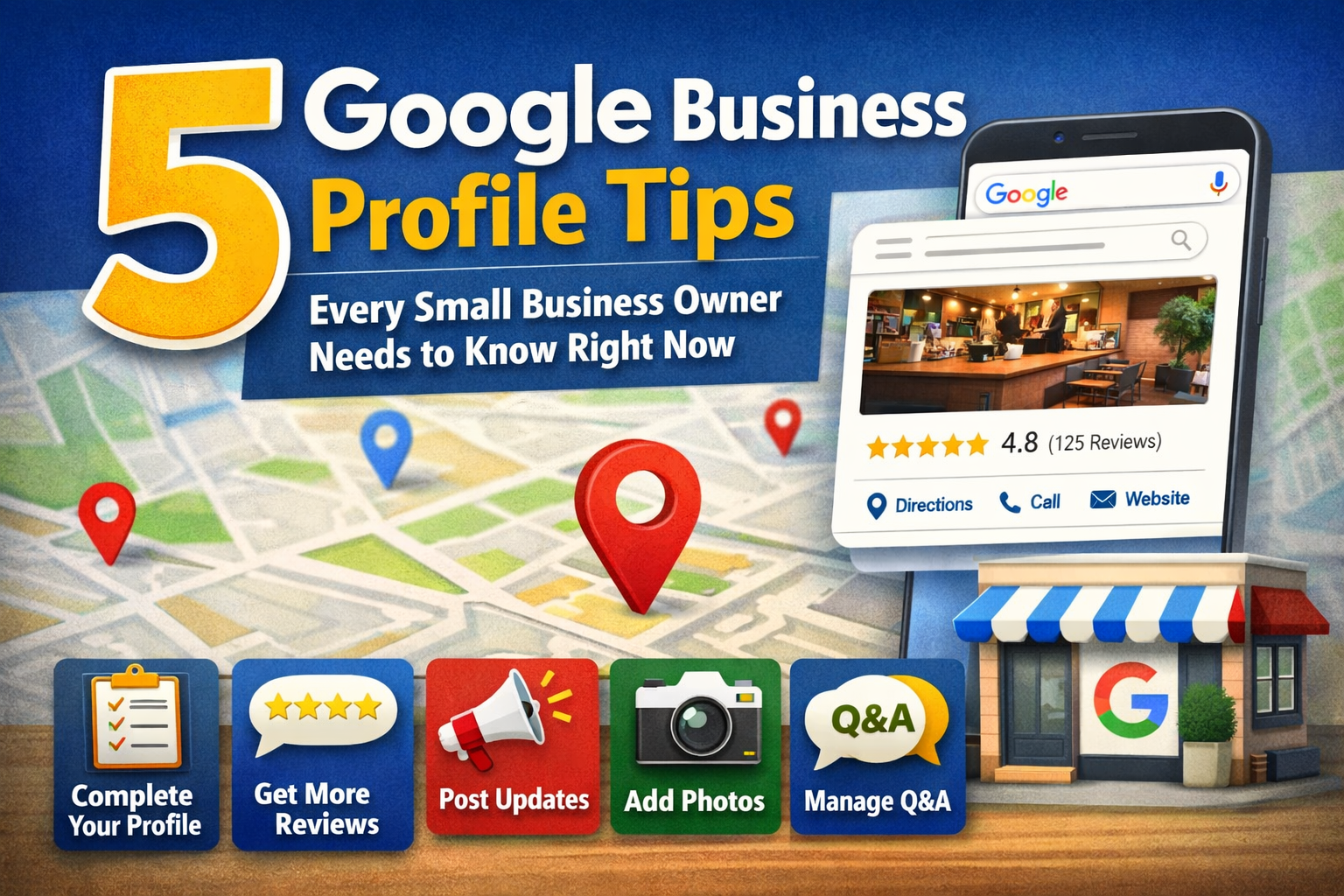
  • 5 Google Business Profile Tips for Small Business Owner

    5 Google Business Profile Tips for Small Business Owner

    If you’ve ever Googled a local restaurant, a nearby plumber, or a boutique shop and seen that little info box pop up on the right side of the screen — that’s a Google Business Profile doing its job. And if your business doesn’t have one set up properly? You’re leaving real money on the table.

    Here’s the truth: most small business owners either skip setting up their Google Business Profile entirely, or they fill it out halfway and never touch it again. That’s a huge missed opportunity. Your Google Business Profile (GBP) is often the first impression a potential customer gets of your business — before they ever visit your website or walk through your front door.

    Let’s break down five practical, proven tips that’ll help you make the most of your profile — and actually show up when people in your area are searching for what you offer.

    What Is a Google Business Profile, and Why Does It Matter?

    Before we dive into the tips, let’s make sure we’re on the same page.

    A Google Business Profile is your free business listing on Google. When someone searches for your business name — or for services like yours in your city — your profile can appear in Google Search and Google Maps. It shows your hours, phone number, address, photos, reviews, and a lot more.

    Think of it as your digital storefront on the world’s most-used search engine. And unlike a billboard or a print ad, it’s completely free to set up and maintain.

    For local businesses especially — hair salons, landscapers, dentists, coffee shops, contractors, you name it — a well-optimized Google Business Profile can be one of the most powerful tools in your marketing toolkit. It directly impacts your local SEO, meaning how often you pop up when people nearby search for what you do.

    Now let’s get into the tips.

    Tip #1: Complete Every Single Section of Your Profile (Yes, Every One)

    This sounds basic, but you’d be surprised how many business owners leave whole sections blank. Google rewards completeness. The more information you give Google, the better it understands your business — and the more likely it is to show your profile to the right people.

    Here’s what you need to fill out:

    • Business name — Use your real business name. Don’t stuff it with keywords (that violates Google’s guidelines and can get your listing suspended).
    • Category — Choose your primary category carefully. This is one of the biggest ranking factors for local search. If you’re a family dentist, don’t just pick “Dentist” — dig deeper and find the most specific option that matches what you actually do.
    • Address and service area — If customers come to you, add your address. If you go to them, set up a service area instead. You can do both if applicable.
    • Phone number and website — Make sure these are accurate and consistent with what’s on your website and other listings.
    • Hours of operation — Keep these updated, especially around holidays. Nothing frustrates a customer more than showing up to a “closed” business that Google said was open.
    • Business description — You get 750 characters. Use them. Write naturally, describe what you do, who you serve, and what makes your business different. Weave in relevant local terms without forcing it.
    • Attributes — Things like “women-owned,” “veteran-owned,” “wheelchair accessible,” “outdoor seating,” etc. These help you show up in filtered searches and tell customers more about your business at a glance.

    Pro tip: Google has been gradually adding more fields over time. Check your profile every few months to see if there are new sections you haven’t filled out yet.

    Tip #2: Get More Reviews — and Actually Respond to Them

    Let’s be real: online reviews make or break local businesses these days. When someone’s trying to decide between two plumbers, two bakeries, or two HVAC companies, they’re looking at reviews. And Google knows it.

    Reviews are a significant factor in how Google ranks local businesses. More reviews, higher ratings, and recent activity all signal to Google that your business is legitimate, active, and trustworthy.

    How to get more reviews without being annoying about it:

    • Ask in person right after a great customer experience. Something like, “Hey, if you have a minute, we’d really appreciate a Google review — it helps us a ton.”
    • Send a follow-up text or email with a direct link to your review page. (You can find this link in your Google Business Profile dashboard under “Get more reviews.”)
    • Add a small card or sticker to receipts or packaging with a QR code that links directly to your review page.
    • Train your staff to mention it. Make it part of the customer goodbye.

    What NOT to do:

    Don’t buy reviews. Don’t ask friends and family to flood your page with fake reviews. Don’t offer discounts or gifts in exchange for reviews. All of this violates Google’s policies and can get your listing penalized or removed.

    Now here’s the part most business owners skip: respond to your reviews.

    All of them. The good ones and the not-so-good ones.

    When you reply to a positive review, you’re thanking a real person who took time out of their day for you. That goes a long way. When you respond to a negative review professionally and calmly — acknowledging the issue and offering to make it right — you’re showing every future reader that you care about your customers and that you handle problems like a grown-up. That actually builds trust.

    A thoughtful response to a one-star review can be more convincing to potential customers than ten five-star reviews with no replies.

    Tip #3: Post Updates Regularly Using Google Posts

    Did you know your Google Business Profile has a built-in posting feature? Most small business owners have no idea it exists.

    Google Posts let you share updates, offers, events, and announcements directly on your profile. These posts show up right in Google Search and Maps when someone pulls up your listing. They’re like mini social media posts — except they live on Google.

    Here’s why this matters: regular posting signals to Google that your business is active. It also gives potential customers a reason to engage with your profile and a clearer picture of what’s going on with your business right now.

    Types of posts you can create:

    • Updates — General news, announcements, or things you want customers to know.
    • Offers — Discounts, promotions, or limited-time deals. These show a “View offer” button on your profile, which gets clicks.
    • Events — If you’re hosting something — a sale, a class, an open house — create an event post.
    • Products — Showcase specific products with photos and prices.

    A few tips for making your posts actually work:

    Keep them conversational and specific. “We’re now open on Sundays from 10am–4pm!” or “This week only: 20% off all exterior painting jobs” does way more than a generic “Check out our services!”

    Add a photo to every post. Visual content gets more attention, and Google favors it.

    Include a call-to-action. Whether it’s “Call now,” “Book online,” “Learn more,” or “Get offer” — tell people what to do next.

    Posts expire after seven days (except events and offers, which run until their end date). So aim to post at least once a week to keep your profile fresh and active.

    Tip #4: Use High-Quality Photos — and Keep Adding New Ones

    This one is simple, but it has a real impact. Businesses with photos on their Google profiles get more clicks, more direction requests, and more calls than businesses without photos.

    People want to see what they’re getting into before they commit. If you’re a restaurant, they want to see the food and the atmosphere. If you’re a contractor, they want to see before-and-after shots of your work. If you’re a retail shop, they want to see what your store looks like inside.

    What kinds of photos to upload:

    • Your storefront (so people recognize it when they arrive)
    • The inside of your business
    • Your team
    • Your products or finished work
    • Anything that shows your business’s personality and vibe

    A few things to keep in mind:

    Quality matters. Blurry, dark, or poorly composed shots can actually hurt your first impression. You don’t need a professional photographer — a modern smartphone works great — but take a moment to get decent lighting and a steady shot.

    Keep adding new photos over time. Google pays attention to how recently photos were uploaded. An account with photos from 2019 and nothing since tells Google (and customers) that you might not be very active.

    One more thing: customers can also upload photos to your listing. Keep an eye on these. If a customer posts a photo that’s inaccurate or inappropriate, you can flag it for removal.

    Tip #5: Use the Q&A Section Proactively

    There’s a section on your Google Business Profile where anyone — customers, strangers, curious people — can ask questions about your business. And here’s the thing: anyone can answer those questions too, not just you.

    That means if you’re not paying attention, someone could post a wrong answer to a question about your hours, your prices, or your services — and it’ll just sit there misleading potential customers.

    Here’s how to stay ahead of it:

    First, go to your profile right now and look at the Q&A section. See if there are any questions already there. If the answers are wrong or incomplete, add the correct answer yourself.

    Second, seed the section with your own frequently asked questions. You can literally ask and answer questions yourself. Think about what customers ask you all the time — “Do you offer free estimates?” “Do you take walk-ins?” “Is there parking nearby?” — and add those Q&As to your profile. This gives people instant answers and keeps the section useful and accurate.

    Third, set up notifications so you know when new questions come in. Go to your GBP settings and turn on email or push notifications for questions. A fast, helpful response builds trust and might be the thing that turns a curious searcher into a paying customer.

    Putting It All Together

    Your Google Business Profile isn’t something you set up once and forget about. It’s a living, breathing part of your online presence — and when you treat it that way, it starts working a lot harder for your business.

    Let’s do a quick recap:

    1. Complete your entire profile — Every field, every detail. Leave nothing blank.
    2. Build and manage your reviews — Ask for them the right way, and always respond.
    3. Post updates regularly — Stay active with weekly Google Posts that inform and engage.
    4. Upload great photos consistently — Show people what your business looks and feels like.
    5. Own your Q&A section — Seed it with helpful answers and respond to new questions fast.

    None of these tips require a big budget or a marketing team. They just require a little time and consistency. And the payoff — more visibility in local search, more clicks, more calls, more customers walking through your door — is absolutely worth it.

    If you haven’t claimed your Google Business Profile yet, head to business.google.com and get started today. It’s free, it takes less than an hour to set up, and it might just be the best thing you do for your business this year.

    Rank in the Age of AI Search
  • Can You Rank Without Backlinks? The Truth for Local Businesses

    Can You Rank Without Backlinks? The Truth for Local Businesses

    I have worked with dental practices that rank #1 in their city with fewer than 10 backlinks. I have also worked with businesses that built 500 links and barely moved. So the real question is not ‘can you rank without backlinks?’ — it is ‘when do backlinks actually matter, and when are they just noise?’

    Key Takeaway: Yes, you can rank without backlinks — but only in specific scenarios. Local ‘near me’ searches, low-competition keywords, and emerging topics often rank based on content quality and proximity signals alone. However, for competitive commercial keywords, backlinks remain essential.

    The Short Answer: Yes — But Only If You Understand the Conditions

    Let me be direct. The SEO industry has spent 20 years telling businesses that backlinks are everything. And for a long time, that was mostly true. Google’s original PageRank algorithm was fundamentally built on link signals.

    But in 2025, the algorithm has matured far beyond simple link counting. Google now evaluates hundreds of signals — content depth, user behavior, topical authority, technical performance, E-E-A-T signals, proximity for local searches, and brand recognition. Links still matter, but they are no longer the only signal that matters.

    So can you rank without backlinks? The honest answer is: it depends on what you are trying to rank for, who you are competing against, and what other ranking signals you can leverage instead.

    When You CAN Rank Without Backlinks — Real Scenarios

    1. Local ‘Near Me’ and Proximity-Based Searches

    When someone searches ‘dentist near me’ or ’emergency plumber in [City]’, Google’s local algorithm prioritizes proximity, relevance, and prominence. Backlinks fall under prominence, but they are not the dominant factor.

    I have worked with a local auto repair shop that ranked in the map pack above competitors with far stronger backlink profiles. The difference? They were closer to the searcher, had better reviews, and their Google Business Profile was meticulously managed. Proximity overrode link authority entirely.

    2. Low-Competition, Long-Tail Keywords

    If you are targeting a keyword with a difficulty score below 30 and the existing top-ranking pages are thin, poorly optimized, or outdated, you can often rank with content quality alone.

    Example: A client published a guide targeting a hyper-specific question. The keyword had maybe 50 searches per month. Nobody else was targeting it with any serious SEO effort. The page ranked within two weeks with zero backlinks.

    3. Brand New Topics or Emerging Niches

    When a topic is genuinely new — a regulatory change, a new treatment option, a product category that just emerged — there is often a brief window where nobody has built authority yet. The first person to publish comprehensive content can rank immediately.

    4. High Domain Authority Sites Launching New Pages

    If your website already has a strong domain authority (DA 50+), new pages can rank faster with fewer backlinks because the domain itself carries trust signals. Internal linking from other high-authority pages can distribute that authority effectively.

    When You CANNOT Rank Without Backlinks — The Hard Reality

    Competitive Commercial Keywords

    Research from Internet Marketing Ninjas found that 95% of websites ranking in the top 10 for commercial keywords have at least 1,000 backlinks. When you are competing for terms like ‘cosmetic dentist [major city]’, you need links. Period.

    National or Highly Competitive Industries

    If you are in SaaS, finance, legal services, insurance, or any industry where national players dominate, link-building is not optional. These verticals are link-saturated. Trying to compete without links is like showing up to a Formula 1 race on a bicycle.

    When Your Domain Authority Is Low and Competition Is High

    A brand-new website with a domain rating below 10 trying to rank for a keyword with a difficulty score above 30 is going to struggle. The algorithm needs external validation that your site is credible, and backlinks are that validation.

    From experience: I once worked with a dental practice that wanted to rank for ‘best dentist in [large metro area]’ within three months. Zero backlinks. I explained it was not realistic. We pivoted to targeting neighborhood-level searches instead. Within six months, they were getting consistent patient inquiries from 20 smaller keywords that collectively drove more value.

    What You Should Do Instead of Obsessing Over Backlinks

    Focus on Google Business Profile Optimization First

    For local businesses, your GBP is the single most important ranking asset you have. If your profile is incomplete, inconsistent, or not actively managed, fix that before worrying about backlinks.

    • Complete every section — services, hours, attributes, photos, posts
    • Ensure NAP consistency across your website, GBP, and every directory listing
    • Encourage customer reviews and respond to every review
    • Use the Q&A section to answer common questions
    • Post weekly updates to signal your business is active

    A fully optimized GBP can carry you into the local 3-pack even if your backlink profile is weak.

    Invest in High-Quality, Locally Relevant Content

    Content quality is not negotiable. Write content that answers actual questions your customers are asking. Use your first-hand experience. Include local context — neighborhood names, landmarks, events, patient stories. This is content that can rank without links because it satisfies user intent better than anything else available.

    Fix Technical SEO Issues

    Technical problems can suppress rankings just as effectively as a lack of backlinks. Run a technical audit. Prioritize Core Web Vitals, mobile usability, and structured data. These fixes can unlock ranking improvements without a single new backlink.

    Use Internal Linking to Distribute Authority

    Your website’s internal link structure is like a network of backlinks you fully control. Link from high-performing pages to newer pages. Use descriptive anchor text. Build content clusters around core services. Internal linking alone can move a page from position 15 to position 5.

    When You Should Build Backlinks — And How to Do It Smartly

    If you have exhausted these strategies and still need more ranking power, invest in strategic backlink acquisition:

    • Local citations: chamber of commerce, business associations, supplier partnerships, event sponsorships
    • Press and media coverage: reach out to local news outlets, industry blogs, niche publications
    • Guest posts (done correctly): write for industry publications with genuine expertise to share
    • Avoid paid link schemes: never buy links from link farms, PBNs, or spammy directories

    What the Data Actually Says

    Let me share some data points that clarify this debate:

    • 95% of all web pages have zero backlinks (Ahrefs) — but 5% do get organic traffic without any links
    • 95% of top-ranking pages for commercial keywords have 1,000+ backlinks (Internet Marketing Ninjas)
    • Google API leak (2024) revealed links remain a core ranking factor
    • Local pack rankings prioritize proximity over backlink count for ‘near me’ searches

    What this tells us: Backlinks are essential for competitive keywords. They are optional for local searches and low-competition niches. The strategy is knowing which bucket your business falls into.

    Frequently Asked Questions

    Can a brand new website rank without backlinks?

    Yes, but only for very low-competition, long-tail keywords or hyper-local searches where proximity matters more than authority. A new site trying to rank for competitive keywords will struggle. Start with low-difficulty keywords, build initial traffic, then gradually target more competitive terms.

    Do I need backlinks for local SEO?

    Not always. Local SEO rankings are driven by proximity, relevance, and prominence. Backlinks contribute to prominence, but if your business is geographically closer and your Google Business Profile is optimized, you can often outrank competitors with stronger backlink profiles.

    What should I focus on if I cannot build backlinks?

    Focus on: (1) Google Business Profile optimization, (2) high-quality locally relevant content, (3) technical SEO fixes, (4) consistent NAP across directories, (5) internal linking, (6) customer reviews. These factors can carry you far without aggressive link-building.

    Are backlinks still important in 2025?

    Yes, especially for competitive keywords. The 2024 Google API leak confirmed link signals remain a core part of the ranking algorithm. However, Google has become better at evaluating content quality, user behavior, and topical authority. Backlinks are no longer the only factor, but still one of the most important for competitive niches.

    Final Takeaway

    The question ‘can you rank without backlinks?’ misses the point. The better question is: given your specific business and competition, should you prioritize link-building or focus on other high-ROI tactics first?

    For most local businesses: (1) Optimize Google Business Profile, (2) Ensure NAP consistency, (3) Publish high-quality locally relevant content, (4) Fix technical SEO issues, (5) Build internal links, (6) Only then invest in strategic backlink acquisition.

    Backlinks are a tool, not a goal. Use them when they make sense. Skip them when something else will move the needle faster.

    My approach: I have helped dental practices rank in competitive local markets with fewer than 20 backlinks because we focused on the things that actually mattered for their specific situation. The strategy is knowing the difference.
    Rank in the Age of AI Search
  • Can AI Replace SEO Specialists?

    Can AI Replace SEO Specialists?

    Every few months, a new AI tool drops and the headlines scream the same thing: “SEO is dead.” I have been hearing that for five years. It has never been true — but 2025 is the first time where the question deserves a real, nuanced answer. So let me give you one.

    Key Takeaway: AI is a powerful accelerator for SEO work — but it cannot replace the strategic thinking, contextual judgment, and real-world experience that a skilled SEO specialist brings to the table. The future belongs to specialists who know how to use AI, not to AI that replaces specialists.

    Why People Are Asking This Question Right Now?

    Let me be honest about where this question is coming from. Tools like ChatGPT, Gemini, Perplexity, and a growing list of AI-powered SEO platforms can now generate keyword clusters in seconds, produce first drafts of content, run basic site audits, and even simulate how a search engine might evaluate a page. A year ago, these tasks took hours.

    So it is completely rational to ask: if AI can do all of that, why would a business still pay an SEO specialist?

    The answer lies in understanding the difference between executing an SEO task and making the right strategic decisions about which tasks to execute, when, and why — for a specific business, in a specific market, at a specific moment.

    That distinction is everything.

    What AI Can Actually Do in SEO Today?

    I use AI tools in my own SEO workflow every single day. I will not pretend otherwise. Here is what they genuinely do well:

    1. Data Processing at Scale

    AI can analyse thousands of keywords, URLs, backlink profiles, and SERP features in minutes. What used to take an analyst half a day can now surface in a dashboard instantly. This is real, and it is genuinely useful.

    2. Content Drafting and Ideation

    For content outlines, first drafts, meta description variations, or FAQ generation, AI is a strong starting point. It removes the blank-page problem and speeds up production. But — and this is critical — it produces statistically plausible text, not necessarily accurate, authoritative, or experience-backed content. Google’s own documentation on E-E-A-T (Experience, Expertise, Authoritativeness, Trustworthiness) exists precisely because generic, AI-generated content is now everywhere and Google has to filter it.

    3. Technical SEO Pattern Recognition

    AI tools are getting better at identifying technical issues — broken links, duplicate content, crawl anomalies, structured data errors. Screaming Frog, Semrush, and others now layer AI on top of their crawlers. Useful? Absolutely. But they flag patterns. A human still has to decide what to prioritise, what can be safely ignored, and how to fix it in a way that suits the specific site architecture.

    4. Reporting and Summarisation

    AI can turn a spreadsheet of ranking data into a readable summary. This saves time. It does not replace the analyst who knows why the rankings shifted.

    AI vs. SEO Specialist — capability breakdown across common tasks

    TaskAI Can Do ItSpecialist Still Needed
    Keyword data extractionYes — fast and scalableFor intent mapping and strategy
    Content drafting (first pass)Yes — with promptingFor accuracy, tone, E-E-A-T signals
    Technical site auditsPartially — pattern detectionFor diagnosis, prioritisation, fixes
    Local citation buildingNo — requires human outreachYes — relationship and accuracy
    Google Business Profile managementPartially — content ideasYes — monitoring, Q&A, review responses
    Link building & outreachNo — relationships are humanYes — always
    Algorithm update interpretationPartially — surface patternsYes — contextual expertise
    Client strategy & communicationNoYes — trust is human
    Reporting & data visualisationYes — dashboards, summariesFor meaningful narrative and decisions

    What AI Cannot Do in SEO and Why It Matters?

    Here is where the conversation gets important. The capabilities AI lacks are not minor edge cases. They are the core of what makes SEO work for real businesses.

    • It Cannot Understand Your Business Context

    AI does not know that your dental practice just opened a second location, that you lost your biggest referring doctor partnership, or that a new competitor moved in two streets away. SEO strategy is never context-free. A specialist spends time understanding the business first — and that context shapes every tactical decision that follows.

    I work with dentists and local businesses. When I walk into a strategy session, I am asking about their patient demographics, their referral sources, their seasonal patterns, their reviews — none of which an AI tool can independently gather or interpret with the nuance that comes from a real conversation.

    • It Cannot Build Relationships

    Local SEO in particular is deeply relational. Getting a quality local backlink often means calling a chamber of commerce, partnering with a local supplier, or building a genuine PR story. AI can draft the email. It cannot have the relationship, make the follow-up call, or know which editor to approach.

    This is not a soft point. Links from real, locally relevant sources remain one of the most powerful local ranking signals — and they come from human effort.

    • It Cannot Interpret Algorithmic Intent the Way an Experienced Specialist Can

    Google rolls out hundreds of algorithm updates every year and announces the major ones after the fact. When a core update hits and a client’s traffic drops 30%, the decision tree is complex: Is it a content quality issue? A technical problem? A link profile concern? E-E-A-T deficiency? Changes in SERP features cannibalising clicks?

    AI can surface the data. Only an experienced specialist can diagnose the actual cause and design the right response — because that diagnosis draws on pattern recognition built from years of working through updates in the real world, not from training data.

    • It Cannot Be Accountable to a Client

    This one is underrated. SEO strategy involves risk. When you decide to consolidate pages, restructure a site, or go after a highly competitive keyword, you are making a bet with the client’s business. A specialist is accountable for that bet. They can defend it, adjust it, and own it when it does not work. AI cannot be held accountable for anything.

    From experience: I have seen businesses use AI tools to auto-generate hundreds of service pages. Rankings flatlined. The content was technically correct but lacked any real-world experience signals. Google’s Helpful Content system caught it. Cleaning up that mess took longer than building the strategy correctly from the start.

    The Real Risk: Confusing Automation With Strategy

    Here is the pattern I am seeing with businesses that try to replace their SEO specialist with AI tools entirely:

    • They generate a lot of content quickly. Rankings do not move because the content lacks topical depth and authority signals.
    • They run automated audits. They get a list of 200 issues. They do not know which 10 actually matter for their specific situation.
    • They track keywords weekly. They see fluctuations but cannot diagnose why they are happening.
    • They run ads alongside zero SEO strategy. They wonder why organic traffic is declining.

    This is not failure of effort. It is the cost of removing the strategic layer from a discipline that is fundamentally strategic.

    SEO is not a set of tasks. It is a system of decisions — about what to prioritise, what to ignore, where to invest effort, and how to adapt as the landscape changes. AI can execute tasks. It cannot run the system.

    The Honest Truth: AI Makes Good SEO Specialists More Valuable

    My own experience with AI has been this: every AI tool I have adopted has made me faster at the mechanical parts of SEO — which means I can spend more time on the parts that actually move the needle.

    I can analyse a competitor’s content gap in twenty minutes instead of two hours. I can produce a first draft of a service page and refine it in an hour instead of three. I can build more comprehensive keyword maps than I could manually.

    What I do with that time is what matters: deeper strategy, better client communication, more granular local targeting, more nuanced link acquisition, and sharper interpretation of what the data is actually telling us.

    The SEO specialists who will be replaced are not those using AI — they are those who refuse to adapt while the tools evolve around them. And the businesses that try to eliminate the specialist entirely will find that AI gives them a lot of activity without a lot of results.

    What This Means for Local Businesses and Dental Practices

    If you are a dentist or a local business owner reading this, here is my practical take:

    • AI-generated content with no expert review will not rank sustainably. Google’s quality systems are specifically built to detect it.
    • An SEO tool subscription without a specialist to interpret and act on it is a cost centre, not a growth strategy.
    • A good specialist using AI will deliver more in less time — which should mean better results and more efficient use of your budget.
    • The question should not be “AI or specialist?” but “Do I have a specialist who knows how to leverage AI effectively?”

    Local SEO — especially for dental practices — requires an understanding of proximity signals, Google Business Profile optimisation, local link ecosystems, patient search intent, and reputation management. None of that has been automated. All of it still requires a human expert who understands both the discipline and the specific market.

    Frequently Asked Questions

    • Will AI replace SEO jobs in the future?

    It is more likely to change the nature of SEO jobs than eliminate them entirely. Repetitive, data-heavy tasks will be increasingly automated. Strategic, relational, and interpretive work will remain human. SEO specialists who develop AI literacy will be more productive and more valuable, not less.

    • Can I use ChatGPT to do my SEO instead of hiring a specialist?

    ChatGPT can assist with content drafting, brainstorming, and basic analysis. It cannot replace an end-to-end SEO strategy, conduct proper technical audits, build local citations, manage your Google Business Profile, or interpret why your rankings changed after a Google update. It is a tool, not a strategist.

    • How do I know if my SEO specialist is using AI effectively?

    Ask them directly. A good specialist will be transparent about which parts of their workflow are AI-assisted. The key question is not whether they use AI, but whether their strategy is still driven by genuine expertise and adapted specifically to your business — not just auto-generated reports and generic recommendations.

    • Does AI-generated content hurt SEO?

    Low-quality AI content with no editing, no real-world experience signals, and no topical depth can absolutely hurt your rankings — particularly since Google’s Helpful Content system is designed to identify and demote it. AI-assisted content, written with a clear editorial standard and genuine expertise, is a different matter.

    • What AI tools do SEO specialists actually use?

    Common tools include Semrush and Ahrefs for AI-enhanced keyword and competitive analysis, Surfer SEO for on-page optimisation, Frase for content briefs, ChatGPT and Claude for drafting and ideation, and Google’s own AI Overviews to understand how search results are evolving. A specialist’s value lies in knowing how to interpret these tools’ outputs, not just in using them.

    Conclusion: Use AI. Do Not Bet the Business on It Alone.

    Can AI replace SEO specialists? The honest answer is no — not in any meaningful, results-oriented sense. It can replace parts of the workflow. It can eliminate some junior-level tasks. It can make experienced specialists significantly more efficient.

    But the system of thinking, deciding, adapting, and executing that makes SEO work for a real business is still a deeply human skill. And in local SEO especially, where trust, proximity, reputation, and community relationships all shape your visibility, that human layer is not optional.

    If you are a local business or dental practice looking to grow through search, the question is not whether to use AI. It is whether you have a specialist who knows how to direct it intelligently — and who brings enough real-world experience to know when the algorithm is telling you something the tools cannot explain.

    Rank in the Age of AI Search